Usefulware PO Match for Shopify
Check what arrived before you pay the invoice.
Compare a supplier bill with your Shopify purchase order and the quantities your team accepted. See which lines need a second look and keep the follow-up with the evidence.
Free beta · Read-only access to Shopify · Works inside Shopify Admin
When a supplier bills for more than you received
A bill can match the ordered quantity even when some items arrived late, were rejected, or are still on the way. PO Match puts the original quantities, receipts and invoice lines together so you can ask the supplier about the right items.
Use it if you already create purchase orders in Shopify under Products → Purchase orders and record receiving in Shopify. Start with one recent PO with recorded receipts and one invoice in the same currency.
Watch the first comparison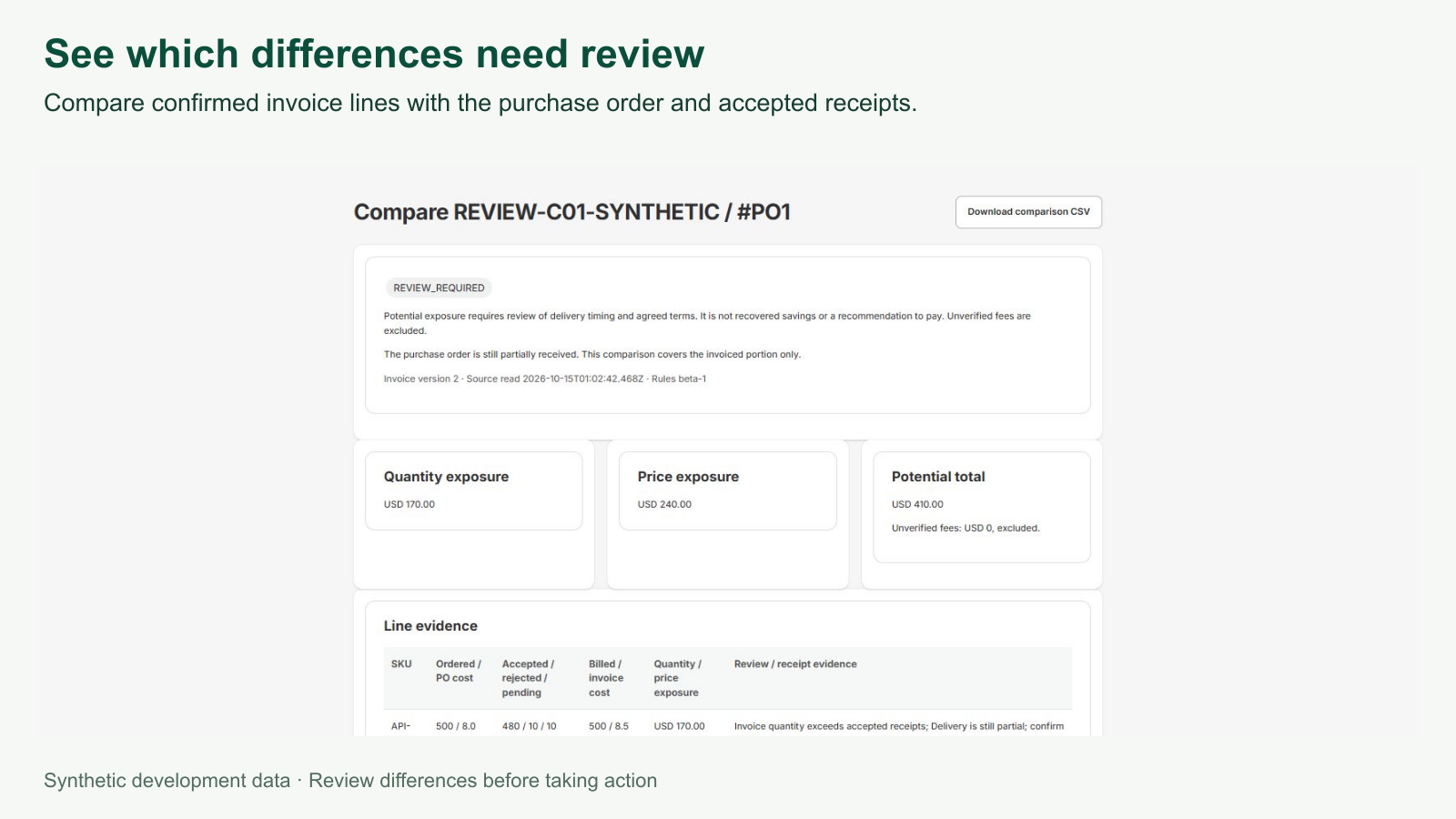
Watch the first comparison
Follow a real test-store installation in Shopify, then use sample data to sync a purchase order, import a supplier invoice and read the differences. The tutorial has English narration and on-screen captions.
Run your first comparison
Install and open PO Match
Use Install on Shopify, confirm the selected store and review the permissions before completing installation. Open Usefulware PO Match under Apps in Shopify Admin. Use an account with permission to install apps and access to purchase orders and inventory.
Find a recently received purchase order
Open Purchase orders in PO Match, check the connected shop, and select Sync now. PO Match also checks for new purchase orders on a schedule. Look for the order under Shopify purchase orders and compare the receipt evidence with Shopify.
Add the supplier invoice
Open the order and choose Attach invoice. Import a CSV or enter the invoice values manually. You can attach the original PDF as private evidence. Enter its values manually.
Check the lines and run the match
Check the currency and tax basis, map each invoice line to a purchase line, and select Confirm invoice data and mapping. Choose Run match to see quantity and price differences. Missing or unclear receiving information prompts a review.
Record the follow-up
If a line needs attention, create an exception case. Assign an owner, record notes, and copy a draft for your own email if you need to contact the supplier.
Practice with a sample invoice
In PO Match, go to Help → Start demo comparison. Under Import CSV for review, choose DEMO-PO-001 and import the practice invoice. Review line SKU-A, confirm the matching purchase line and tax basis, then select Run match.
This USD practice example shows USD 170.00 in quantity differences and USD 240.00 in price differences. For your own comparison, use an invoice for your own Shopify purchase order in the same currency.
Download the practice invoice (CSV)Before you install
- What does it cost?
- PO Match is free during the beta. Your Shopify store plan is billed separately.
- What data does it use?
- It reads native Shopify purchase orders, inventory and receiving records. Uploaded invoice originals are stored privately. See the app privacy policy and beta terms.
- What if Shopify shows an installation error?
- Check whether Usefulware PO Match appears under Apps in Shopify Admin. If it doesn’t, return to the official listing, check the selected store and retry. If the error persists, email the error message with account and store details removed.
- What if I cannot find my PO?
- Check Products → Purchase orders in the same Shopify store. The default sync looks back 90 days. Use Sync all purchase-order dates when offered for older orders. For a practice run, open the labelled demo in Help.
- Can it pay invoices or change Shopify stock?
- You review the evidence and decide what to do. Shopify access is read-only. Invoice payments and supplier emails stay in your existing workflow.
Try one invoice, then tell us what happened.
Did the purchase and receipt quantities agree with Shopify? Did the result help you decide what to check? Where did you get stuck? If you need help, send the app page, what you expected and what you saw. A masked example is enough.